
Video calls are exhausting. Slack threads get buried. Remote teams lose the spontaneity that makes working together actually work. We’ve all felt it — the disconnect of staring at a grid of faces on a screen for eight hours a day.
That’s why we’re building something different.
What If Your Office Was a 3D World?
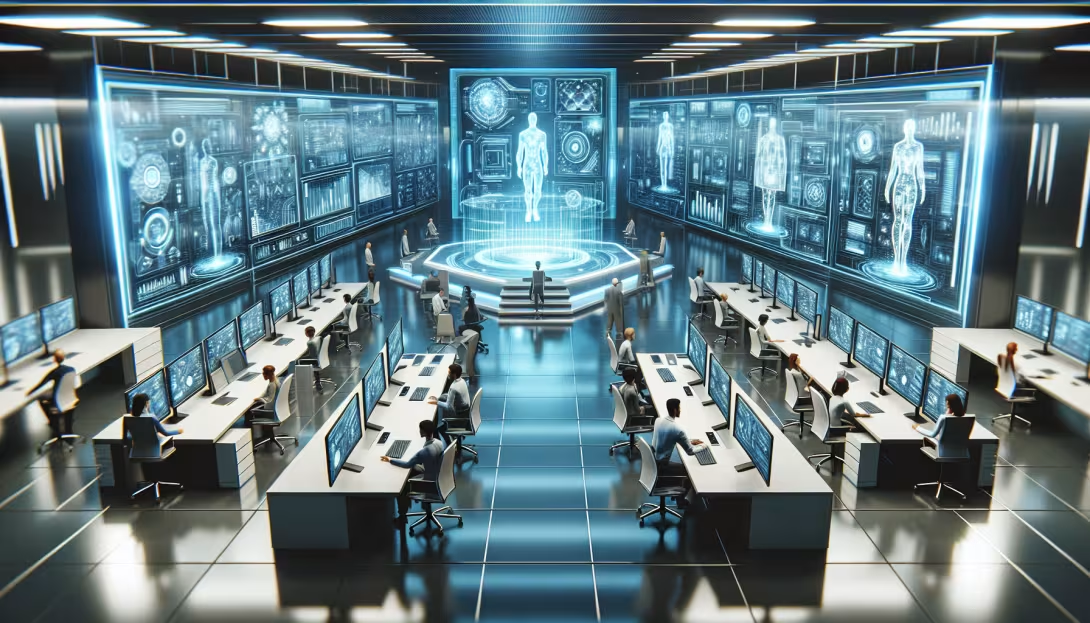
The Virtual Office Platform is an AI-driven 3D environment where remote teams work together in shared virtual spaces. Instead of switching between Zoom, Slack, and Google Docs, imagine walking your avatar to a colleague’s desk, glancing at their screen, and starting a conversation — just like you would in a real office.
Every desk has a real web browser rendered on its monitor. Not a screenshot. Not a video feed. A fully interactive Chromium browser running on a 3D surface. You can browse the web, write code on GitHub, check your email, or pull up a dashboard — all from within the 3D world.
AI That Actually Helps
The platform doesn’t just render pretty environments. It puts AI to work inside them.
LLM-powered agents — built on GPT-4 and Claude — control characters that serve real functions. A receptionist NPC greets visitors and directs them to the right meeting room. A note-taking agent joins your standup and produces meeting minutes. A research assistant sits at its own desk, browsing the web and compiling information you asked for.
These aren’t chatbots in a sidebar. They’re characters in the world, navigating the space, looking at screens, and interacting with the same environment you’re in.
Three Products, One Platform
We’re developing three distinct environments on the same engine:
Peak AI Client Room — A branded meeting space where clients enter through a simple link. Share your screen on a 3D display, walk through design mockups, and review proposals with an AI assistant taking notes in the background. No software install required for the client (web version planned).
Virtual Office — A full office environment for distributed teams. Desks, conference rooms, a break area, and a wall display showing team dashboards. Each team member has their own workstation with a private browser session. Walk to someone’s desk to pair program. Gather in the conference room for standups.
Virtual Campus — A 3D lecture hall and library for online education. Instructors broadcast their screen on a virtual projector. Students sit in the audience and can raise hands or ask questions. AI tutors roam the library between classes, helping students one-on-one.
The Tech Behind It
We chose Torque3D as our engine — an open-source, MIT-licensed game engine with world-class built-in multiplayer networking. That last part is critical: multiplayer is notoriously hard to bolt on after the fact, and Torque3D has had production-grade networking since its days powering games like Tribes 2.
On top of the engine, we built two custom modules:
- browserRender — Embeds CEF (Chromium Embedded Framework) into the rendering pipeline. Web pages are rendered off-screen and mapped as textures onto any 3D surface. Mouse and keyboard input is forwarded to the browser, so you can interact with web content naturally.
- aiBridge — A TCP/JSON bridge that connects external AI services to the engine. An LLM running in Python or Node.js sends commands like “move agent 1 to position X” or “load this URL on agent 2’s screen,” and the engine executes them in real time.
Why Not Just Use VR?
VR headsets are great for immersion, but they’re impractical for eight-hour workdays. They’re heavy, isolating, and most people don’t own one. Our platform runs on a regular desktop or laptop — no special hardware needed. Think of it as the middle ground between a video call and full VR: more presence than a flat screen, less friction than strapping a headset to your face.
That said, VR support is on the roadmap for situations where full immersion makes sense, like architectural walkthroughs or training simulations.
What’s Next
The engine compiles, the modules are scaffolded, and the AI bridge protocol is tested. The next milestones are:
- CEF binary integration for live browser rendering on 3D surfaces
- First playable Client Room with two participants and shared screen
- AI agent demo — an NPC that browses the web on command and reports back
We’re building this as a product we’d want to use ourselves. If you’re tired of the video-call-and-Slack grind and want to see what collaborative work looks like in 3D, get in touch. We’re looking for early testers and partners.
Comments